Unified Backup Visibility
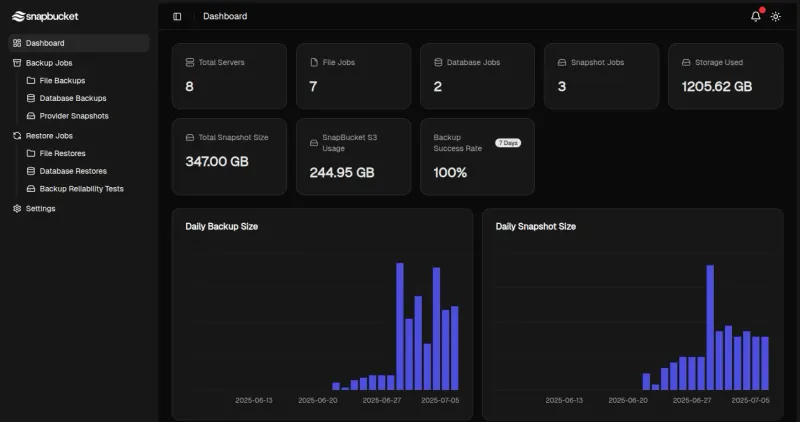
The hosted dashboard gives you a bird’s-eye view of all backup jobs, statuses, schedules, and retention policies — across all servers.

Centralized Insight, Zero Guesswork
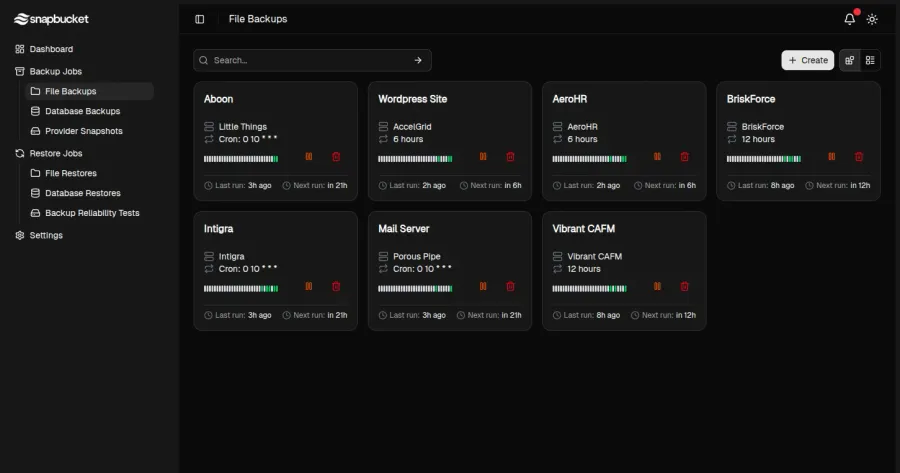
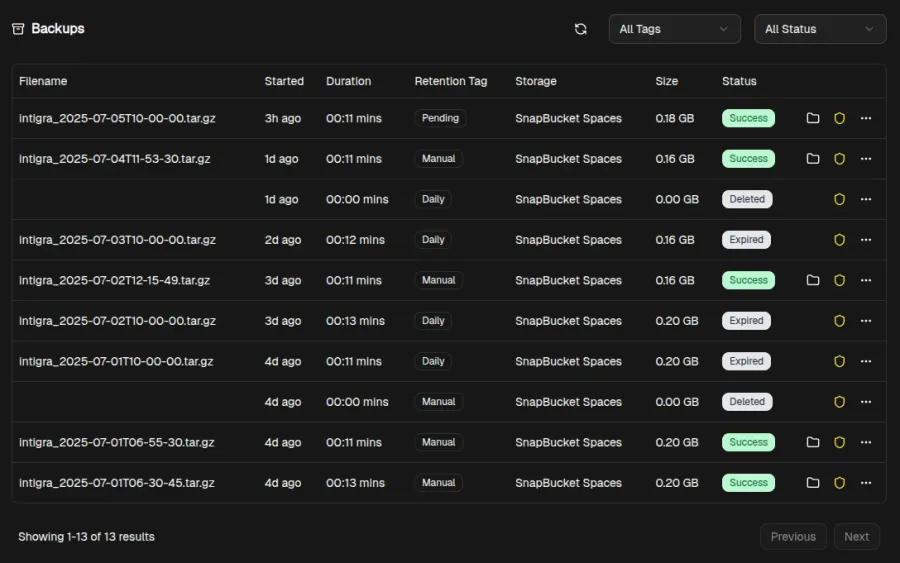
Track every backup task, server status, and retention rule — all in one dashboard. Use search and filters to instantly locate backups, inspect logs, or audit specific snapshots. Whether managing a single VPS or a fleet of machines, you’ll always know what’s happening and where.
Built for Teams
Invite teammates, assign roles and manage backups across multiple servers — all from a clean, responsive UI. Granular permissions let you control who can schedule jobs, view logs or trigger restores. Every action is recorded so you have a complete audit trail when collaborating with others.
Restore Confidently — Every Time
Start a restore with a single click and follow real-time logs as it runs. View the full history of every backup job, including success, failure, and error details. No need to dig through servers or grep logs — everything you need is in the UI.
Hosted Dashboard FAQ
Common questions about our cloud dashboard
Ready to Start Free Trial?
Start Free Trial for free and experience powerful backup visibility, instant restores, and team-ready controls — all from your browser.
Start free trial